


How to Set Up and Run Gemma 4 Locally Using Ollama
Press play on the video. It'll jump straight to the section that answers the
title above — no need to watch the full video.
Ollama
Terminal
Installation
Command Line
A quick guide to downloading and running the open-source Gemma 4 model offline on your computer or laptop. Learn how to choose the right model size (4B vs 26B) and use terminal commands for installation via Ollama.
Choosing a Model Size (4B vs 26B)
The 26B model is a popular community choice because it is fast and efficient (fitting on most computers) compared to even larger models. However, ensure your computer has a good Graphics Card (GPU) for optimal performance.
The Benefits of Running AI Locally
When you run a model locally, you have full ownership of it. Your data is not sent to external servers, meaning your privacy is better protected and it can function without an internet connection.
More from Local AI & Open Source Deployment
View All
None
Docker

Automating web browser tasks with Local LLMs (Ollama) & DeepSeek
Browser Use
Ollama

Install and configure Robin AI Dark Web Scraper with Docker and Tor
Robin
Docker

Run Local LLMs and Grok with OpenCode CLI
OpenCode
Grok

Install and run GPT-OSS AI models offline with Ollama
Ollama
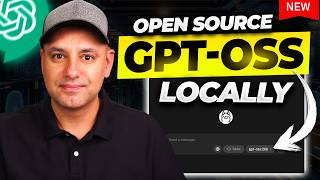
Running GPT-OSS models locally with Ollama
Ollama
OpenAI