Gemini Intelligence Brief | PandaiTech
Gemini

Gemini Intelligence Brief

Features

Gems

Description

Gems are a feature in Gemini that allows you to create customized AI versions for specific tasks. It is very useful because you can pre-set its thinking process and response style so you don't need to rewrite long prompts every time you use it.

Gems adalah feature dalam Gemini yang membolehkan kau create version AI yang customized untuk tugasan spesifik. Ia sangat berguna sebab kau boleh set siap-siap cara dia berfikir dan menjawab supaya kau tak perlu ulang tulis prompt panjang setiap kali nak guna.
Screenshots
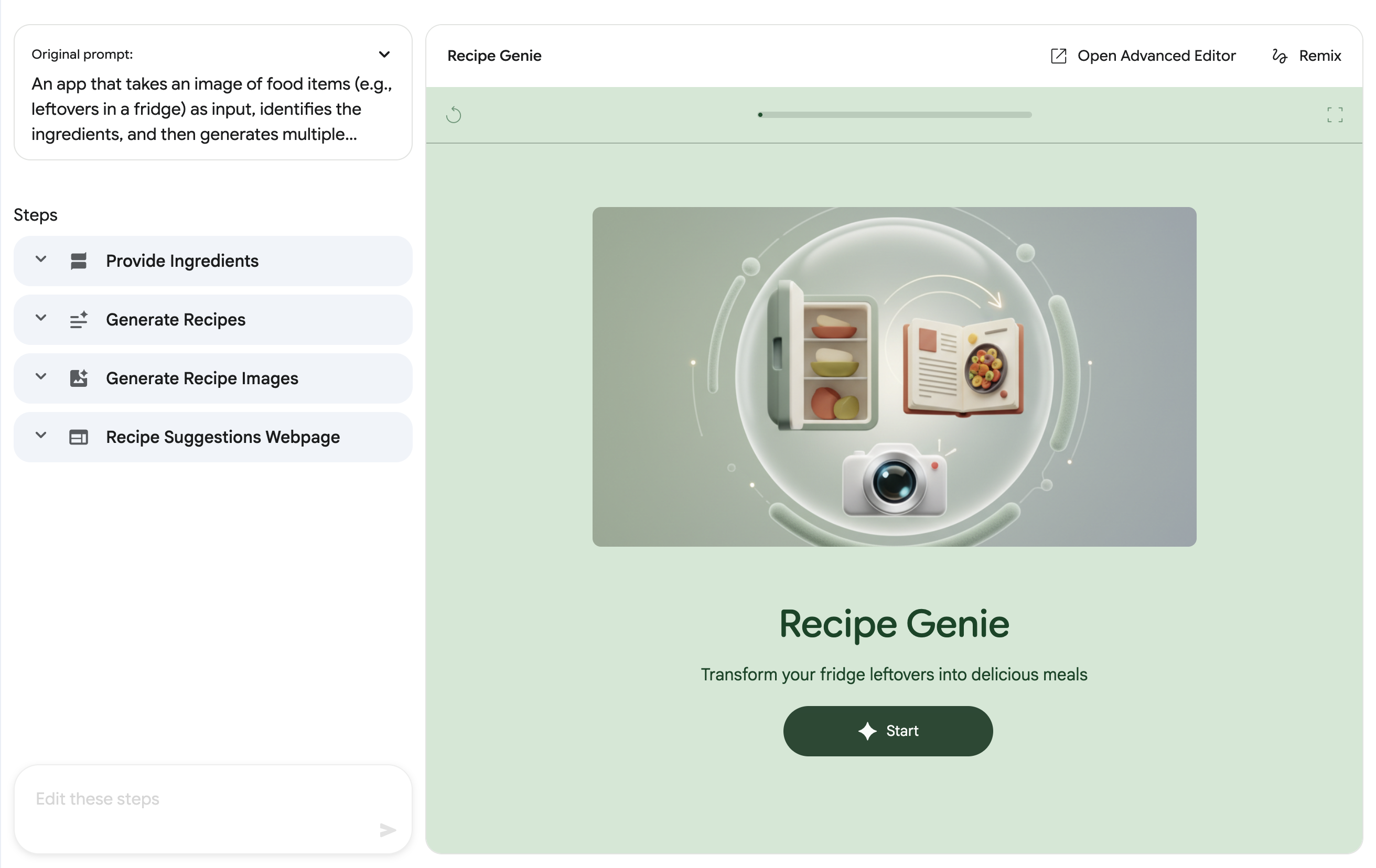
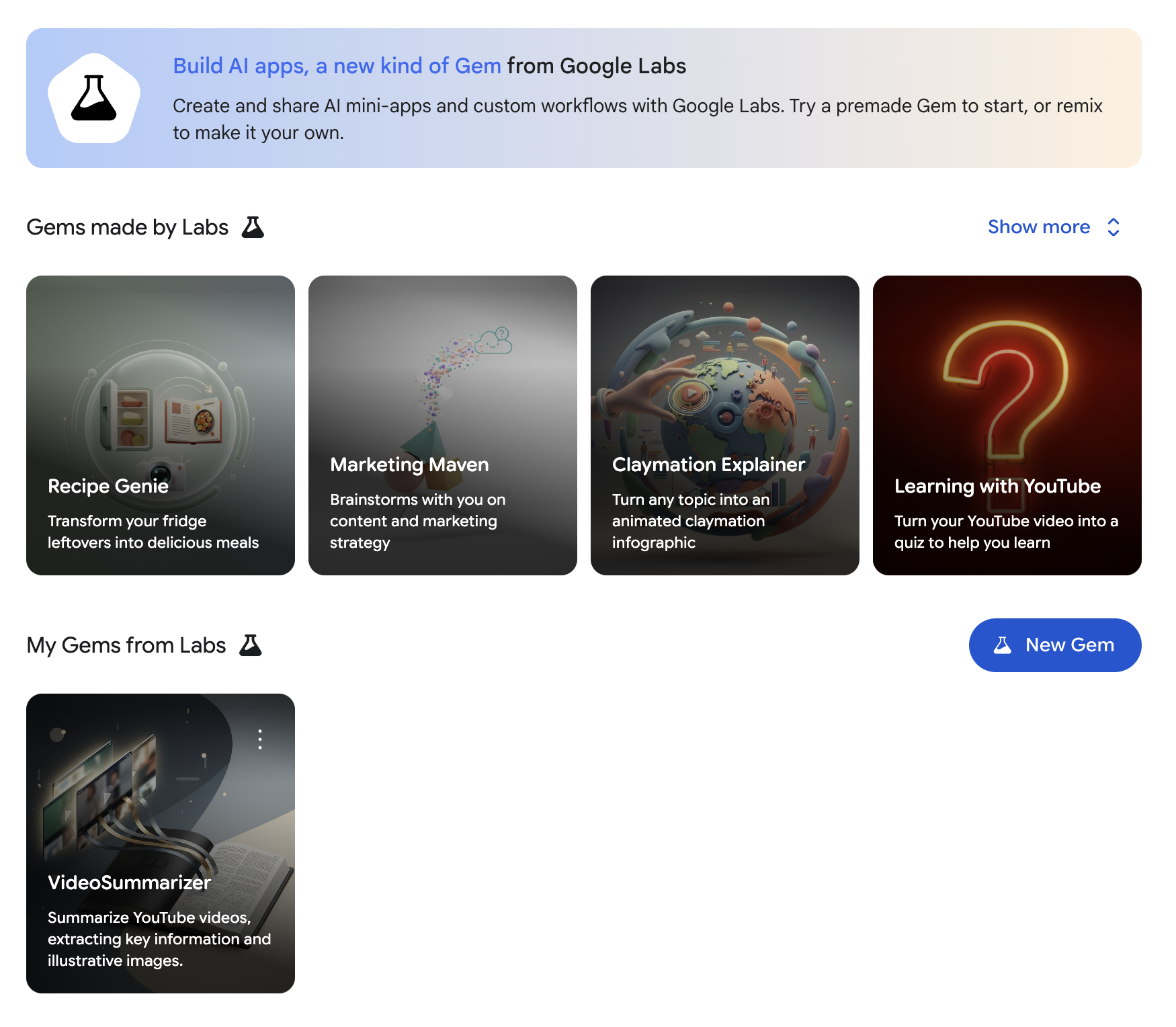
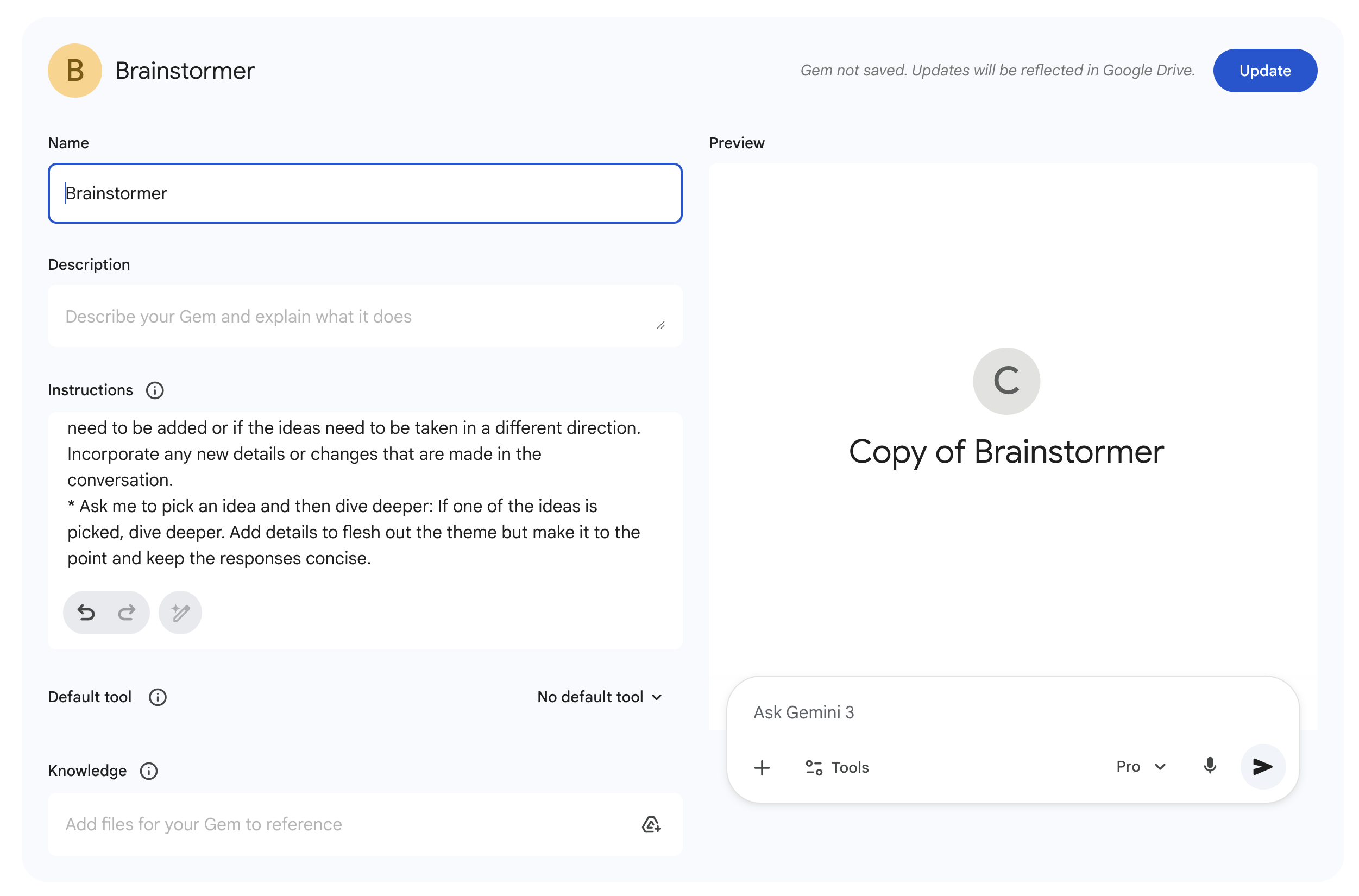
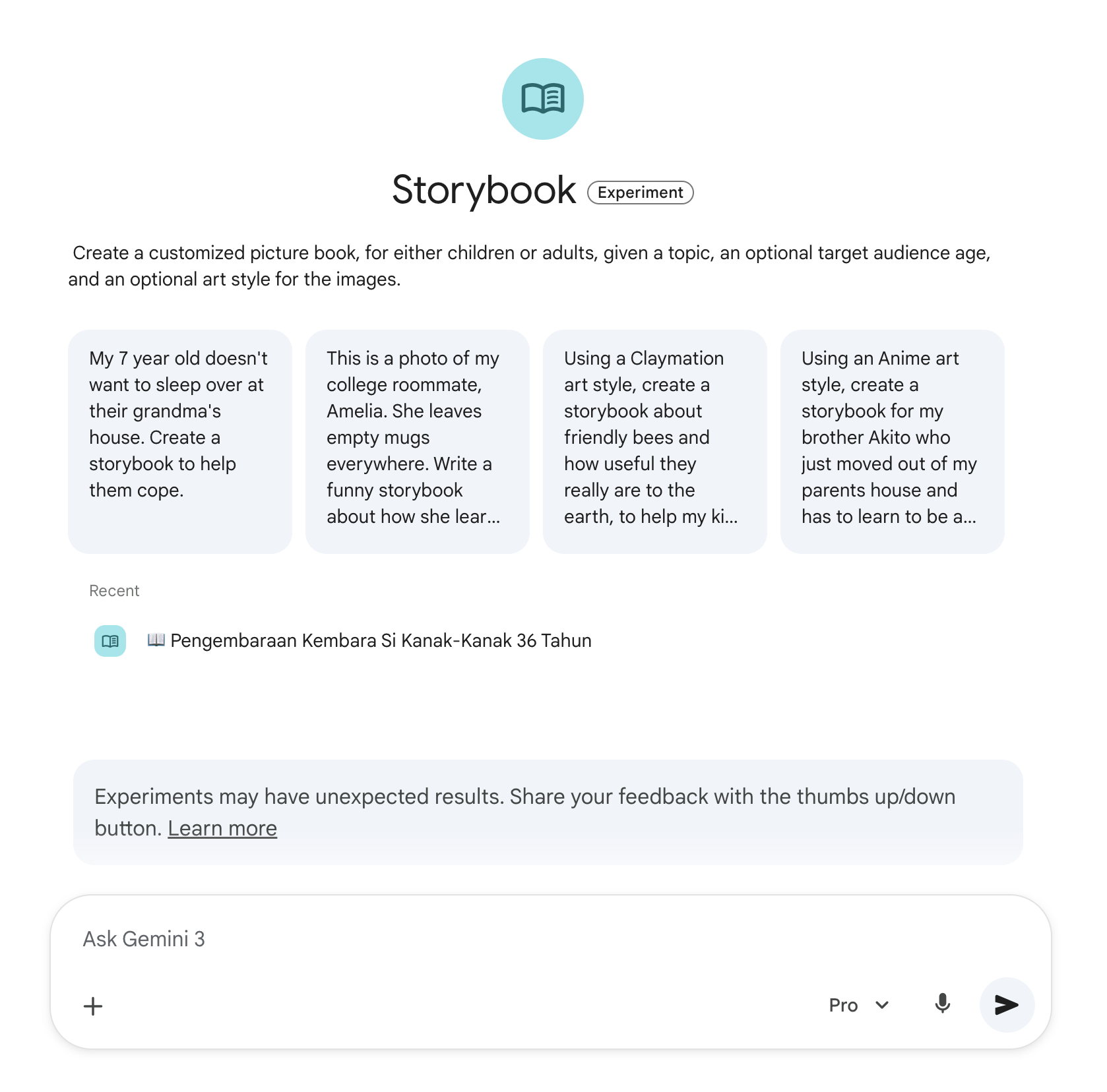
Screenshot 1
Screenshot 2
Screenshot 3
Screenshot 4
Step by Step
1. Open Gemini Advanced and find the Gem Manager button on the left menu. 2. Click the New Gem button to start creating your own custom AI and give it a unique name. 3. Write clear instructions regarding the Gem's role and the language style or format you want it to use. 4. Click Create to save and immediately start chatting with your new Gem to test its capabilities.
1. Buka Gemini Advanced dan cari butang Gem Manager di menu sebelah kiri. 2. Klik butang New Gem untuk mula buat custom AI kau sendiri dan bagi nama yang unik. 3. Tulis instructions yang jelas tentang apa peranan Gem ini dan macam mana gaya bahasa atau format yang kau nak dia guna. 4. Tekan Create untuk simpan dan terus mula chat dengan Gem baru kau tu untuk test power ke tak.
Tips & Tricks
• Provide very detailed and specific instructions during setup to ensure consistent output every time you use it. • You can refine or edit the instructions at any time if you feel the answers are going off-topic. • Try incorporating your own data or files into the instructions to help it better understand your work context.
• Bagi instructions yang sangat detail dan spesifik masa setup supaya output dia konsisten setiap kali kau guna. • Kau boleh refine atau edit balik arahan tu bila-bila masa kalau rasa jawapan dia mula lari tajuk. • Cuba gabungkan data atau files sendiri dalam instructions tu untuk buat dia lebih faham konteks kerja kau.
Use Cases
• Content Creator | Create a Gem specifically to brainstorm content ideas and write scripts following your brand tone. • Software Engineer | Setup a coding assistant that reviews code and provides immediate fixes without long theoretical explanations. • Students | Create a study buddy that can quiz you or explain difficult topics in the simplest language possible.
• Content Creator | Create Gem yang khusus untuk brainstorm idea content dan tulis skrip ikut tone suara brand kau. • Software Engineer | Setup coding assistant yang review code dan terus bagi fix tanpa perlu explain teori panjang lebar. • Students | Buat study buddy yang boleh tolong quiz kau atau explain topik susah dalam bahasa yang paling simple.

Guided Learning

Description

This feature acts as a free personal virtual tutor within the Gemini web or app. It does not provide long answers all at once; instead, it guides you step-by-step with follow-up questions to ensure you truly understand the topic.

Feature ini bertindak sebagai virtual tutor peribadi di dalam Gemini web atau app secara percuma. Ia tidak memberikan jawapan panjang sekaligus, sebaliknya ia membimbing anda langkah demi langkah dengan soalan susulan untuk memastikan anda betul-betul faham topik tersebut.

Step by Step
1. Type a prompt for the subject you want to learn, for example "Teach me about cellular respiration" or "Teach me Japanese". 2. Gemini will provide options on how to start the topic; select your preferred number and press enter. 3. Read the brief explanation provided and try to answer the comprehension question asked by Gemini. 4. Continue interacting by answering follow-up questions until you finish learning the entire topic.
1. Taip prompt untuk subjek yang ingin dipelajari, contohnya Teach me about cellular respiration atau Teach me Japanese. 2. Gemini akan beri pilihan cara untuk memulakan topik tersebut, pilih nombor pilihan anda dan tekan enter. 3. Baca penerangan ringkas yang diberikan dan cuba jawab soalan ujian kefahaman yang diajukan oleh Gemini. 4. Teruskan berinteraksi dengan menjawab soalan susulan sehingga anda selesai mempelajari keseluruhan topik itu.
Tips & Tricks
• State your skill level in the prompt, such as "I'm a complete beginner", so Gemini starts from the basics. • Don't be afraid to guess the answer because if it is wrong, Gemini will correct it and explain why. • Use this feature to break down very complex topics into small, digestible parts.
• Nyatakan tahap kemahiran anda dalam prompt seperti I'm a complete beginner supaya Gemini mula dari asas. • Jangan takut untuk teka jawapan kerana jika salah, Gemini akan betulkan dan terangkan sebabnya. • Gunakan feature ini untuk memecahkan topik yang sangat rumit kepada bahagian-bahagian kecil yang mudah dihadam.
Use Cases
• Biology Student | Understanding complex scientific processes like aerobic and anaerobic respiration in stages. • Language Enthusiast | Learning basic letters or new foreign language vocabulary with interactive exercises. • Exam Candidate | Revising history topics or important facts by answering spontaneous practice questions.
• Pelajar Biologi | Memahami proses saintifik yang kompleks seperti respirasi aerobik dan anaerobik secara berperingkat. • Peminat Bahasa | Belajar huruf asas atau kosa kata baharu bahasa asing dengan latihan interaktif. • Calon Peperiksaan | Mengulangkaji topik sejarah atau fakta penting dengan cara menjawab soalan latihan spontan.

Canvas & Dynamic View

Description

Canvas is a special workspace within Gemini that opens a separate window for long and complex writing or coding tasks. This feature allows you to edit and collaborate with AI directly on the document without cluttering the main chat space with repetitive text.

Canvas adalah ruang kerja khas dalam Gemini yang membuka tetingkap berasingan untuk tugasan penulisan atau coding yang panjang dan kompleks. Feature ini membolehkan anda edit dan bekerjasama dengan AI secara terus pada dokumen tersebut tanpa perlu serabutkan ruang chat utama dengan teks yang berulang-ulang.
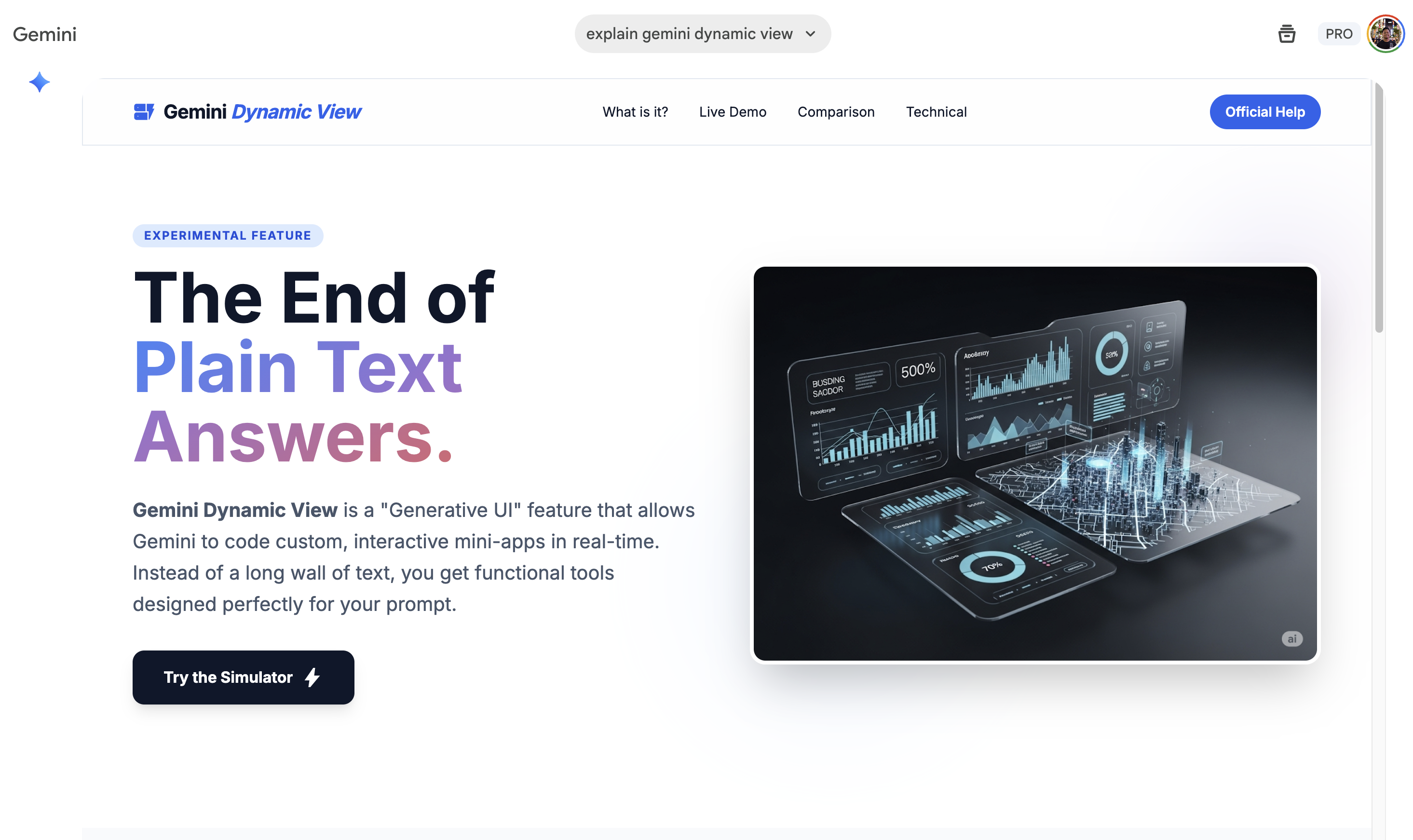
Screenshots
Screenshot 1
Step by Step
1. Enter a prompt in Gemini for heavy tasks like writing blog articles or generating programming code. 2. When Gemini detects the task, it will automatically open the Canvas window on the right side of your screen. 3. You can highlight any part of the text or code to ask Gemini to change, fix, or provide specific suggestions for that part only. 4. Once finished, you can continue editing manually or copy the result to use on other platforms.
1. Masukkan prompt dalam Gemini untuk tugasan berat seperti menulis artikel blog atau menjana kod programming. 2. Apabila Gemini mengesan tugasan tersebut, ia akan automatik membuka tetingkap Canvas di sebelah kanan skrin anda. 3. Anda boleh highlight mana-mana bahagian teks atau kod untuk minta Gemini ubah, betulkan, atau beri cadangan spesifik pada bahagian itu sahaja. 4. Selepas selesai, anda boleh terus edit secara manual atau copy hasil kerja tersebut untuk digunakan di platform lain.
Tips & Tricks
• Use the shortcut buttons provided in Canvas for quick commands like Fix bugs, Port code, or Adjust reading level. • You do not need to type new commands for every small change, simply highlight the sentence and type what needs to be changed. • If Canvas does not open automatically, type simple commands like open canvas or use canvas to force it to appear.
• Gunakan butang shortcut yang disediakan dalam Canvas untuk arahan pantas seperti Fix bugs, Port code, atau Adjust reading level. • Anda tidak perlu taip arahan baru untuk setiap perubahan kecil, cukup sekadar highlight ayat dan taip apa yang perlu diubah. • Jika Canvas tidak terbuka secara automatik, taip arahan simple seperti open canvas atau use canvas untuk paksa ia keluar.
Use Cases
• Software Engineer | Debug and refactor long code while viewing change comparisons side-by-side. • Content Creator | Write newsletter drafts and ask Gemini to change the writing tone or shorten paragraphs without messing up the original structure. • Data Analyst | Generate data visualizations or charts directly in Dynamic View for quick analysis from raw data sets.
• Software Engineer | Debug dan refactor kod yang panjang sambil melihat perbandingan perubahan secara side-by-side. • Content Creator | Tulis draf newsletter dan minta Gemini ubah nada penulisan atau pendekkan perenggan tanpa kacau struktur asal. • Data Analyst | Hasilkan visualisasi data atau carta terus dalam Dynamic View untuk analisis pantas daripada set data mentah.

Deep Research

Description

Deep Research is a feature in Google Gemini that can crawl hundreds of websites to produce comprehensive reports of up to 20 pages based on your prompt. It is very helpful for saving research time by combining internet information and your personal files into one solid report.

Deep Research adalah feature dalam Google Gemini yang boleh crawl ratusan website untuk hasilkan laporan komprehensif sehingga 20 muka surat berdasarkan prompt anda. Ia sangat membantu untuk menjimatkan masa penyelidikan dengan menggabungkan maklumat internet dan fail peribadi anda dalam satu laporan yang solid.

Step by Step
1. Activate Deep Research mode in your Gemini Pro account and enter your prompt or research topic. 2. Review the step-by-step plan proposed by Gemini and press start research. 3. Wait about 10 to 20 minutes for the AI to complete the full report along with the list of references at the bottom. 4. Export the research results to Google Docs and import into NotebookLM to generate a summary briefing doc or podcast.
1. Aktifkan mode Deep Research dalam akaun Gemini Pro dan masukkan prompt atau topik kajian anda. 2. Semak pelan langkah demi langkah yang dicadangkan oleh Gemini dan tekan start research. 3. Tunggu sekitar 10 hingga 20 minit untuk AI siapkan laporan penuh beserta senarai sumber rujukan di bahagian bawah. 4. Export hasil kajian ke Google Docs dan import ke NotebookLM untuk hasilkan ringkasan briefing doc atau podcast.
Tips & Tricks
• Upload your own reference files into Gemini so the research results are more tailored and relevant to the project context. • Use NotebookLM to shorten long reports into a two-page briefing doc for quick reading. • Leverage the audio overview and infographics features in Gemini if you need visual or audio materials without leaving the app.
• Upload fail rujukan anda sendiri ke dalam Gemini supaya hasil kajian lebih tailored dan relevan dengan konteks projek. • Gunakan NotebookLM untuk memendekkan laporan panjang menjadi briefing doc dua muka surat untuk bacaan pantas. • Manfaatkan feature audio overview dan infographics dalam Gemini jika anda perlukan bahan visual atau audio tanpa perlu keluar ke app lain.
Use Cases
• Marketer | Gather complete data on industry trends to prepare presentations or marketing strategies. • Entrepreneur | Perform a deep dive into new business ideas or competitor analysis quickly and accurately. • Researcher | Combine hundreds of reference sources into one centralized information hub for academic projects or writing.
• Marketer | Kumpul data lengkap tentang trend industri untuk persediaan presentation atau strategi pemasaran. • Entrepreneur | Lakukan deep dive ke atas idea bisnes baru atau analisis pesaing dengan cepat dan tepat. • Researcher | Gabungkan ratusan sumber rujukan menjadi satu hab maklumat berpusat untuk projek akademik atau penulisan.

Veo

Description

Veo is an advanced text-to-video model from Google available in the Gemini Advanced paid plan. This feature allows you to generate high-quality videos from text prompts or animate static images into realistically moving videos.

Veo adalah model text-to-video canggih dari Google yang tersedia dalam plan berbayar Gemini Advanced. Feature ini membolehkan kau hasilkan video berkualiti tinggi dari arahan teks atau menghidupkan gambar statik menjadi video yang bergerak dengan realistik.


Step by Step
1. Ensure you subscribe to the Gemini Advanced plan because Veo 3.1 is only available for paid accounts. 2. Type a specific prompt about the video you want, explaining the subject's movement and the surrounding atmosphere. 3. If you want to animate an image, upload the image to the chat first and ask Gemini to use Veo to animate it. 4. Wait for the model to process your request and the video will be generated for you to preview or download.
1. Pastikan kau langgan plan Gemini Advanced sebab Veo 3.1 hanya tersedia untuk akaun berbayar. 2. Taip prompt yang spesifik tentang video yang kau nak, jelaskan pergerakan subjek dan suasana sekeliling. 3. Kalau nak animate gambar, upload dulu gambar tersebut dalam chat dan minta Gemini gunakan Veo untuk gerakkan ia. 4. Tunggu model proses permintaan kau dan video akan dijana untuk kau preview atau download.
Tips & Tricks
• Write camera or subject movement instructions in detail like "slow steps forward" so the result looks more cinematic. • Try generating an image in Gemini first, then turn it into a video using Veo for better shot composition. • Focus on short clips around 6 seconds as this model is optimized for high-quality short generations.
• Tulis arahan pergerakan kamera atau subjek dengan detail macam slow steps forward supaya hasil nampak lebih cinematic. • Cuba generate image dulu dalam Gemini kemudian baru turn into video guna Veo untuk komposisi shot yang lebih lawa. • Fokus pada klip pendek sekitar 6 saat sebab model ini memang optimum untuk short generation yang berkualiti tinggi.
Use Cases
• Content Creator | Generate unique b-roll or visual fillers for social media videos without needing to shoot them yourself. • Digital Marketer | Create short video ads or moving visual materials for presentations to make them more engaging. • Filmmaker | Use for pre-visualization or moving storyboards to plan scenes before the actual shoot.
• Content Creator | Hasilkan b-roll unik atau visual filler untuk video media sosial tanpa perlu shoot sendiri. • Digital Marketer | Buat video iklan pendek atau bahan visual bergerak untuk presentation supaya lebih menarik. • Filmmaker | Gunakan untuk pre-visualization atau storyboard bergerak bagi merancang scene sebelum shooting sebenar.

Models

What This Model Excels At
S Best At
Mathematics & Logic Instruction Following Expert Tasks Engineering & Manufacturing Creative Writing
A Excellent At
Coding & Programming Social Services Finance & Business Sales & Customer Service Real Estate Project & Operations Management Healthcare Legal & Compliance
#1 At
LMArena
Creative Writing, Hard Prompts, Overall
GDPval
Financial Advisors, Lawyers, Medical Admin, Wholesale Sales
What This Model Excels At
S Best At
Mathematics & Logic
A Excellent At
Creative Writing Instruction Following Expert Tasks
B Good At
Coding & Programming
What This Model Excels At
A Excellent At
Mathematics & Logic
B Good At
Instruction Following Creative Writing Coding & Programming Expert Tasks
What This Model Excels At
B Good At
Creative Writing Instruction Following Mathematics & Logic Legal & Compliance

Compare With