



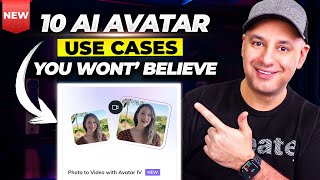
Create AI avatar videos from a single image using HeyGen
Press play on the video. It'll jump straight to the section that answers the
title above — no need to watch the full video.
HeyGen
Video Generation
Animation
A step-by-step guide to creating realistic talking avatars with the new HeyGen Avatar IV feature.
Benefits of the Avatar IV Feature
Unlike previous versions that required several minutes of video footage to train the model, Avatar IV only needs a single image to generate a functional avatar.
Animation & Quality Limitations
Currently, HeyGen Avatar IV focuses primarily on facial animation. Body movement is very minimal (light animation) and voice intonation may require further adjustment to sound more natural.
Visual Warning (Hand Artifacts)
AI sometimes fails to process hand images perfectly. It is best to use portrait photos focusing only on the face and shoulders to avoid strange-looking hands or visual glitches.
Free Plan Access
This feature can be tested using a 'Free tier' account, allowing users to experiment with Avatar IV technology without an initial paid subscription commitment.
More from Generate Commercial & Cinematic AI Video
View All
None
HeyGen
ElevenLabs
Build interactive avatars for customer service with HeyGen
HeyGen
Clone yourself into an AI Avatar with HeyGen Instant Avatar
HeyGen

Convert Amazon product links into video ads with HeyGen
HeyGen

Create professional avatar videos from prompts with HeyGen Video Agent
HeyGen

Create Product Marketing Videos with HeyGen Product Placement
HeyGen